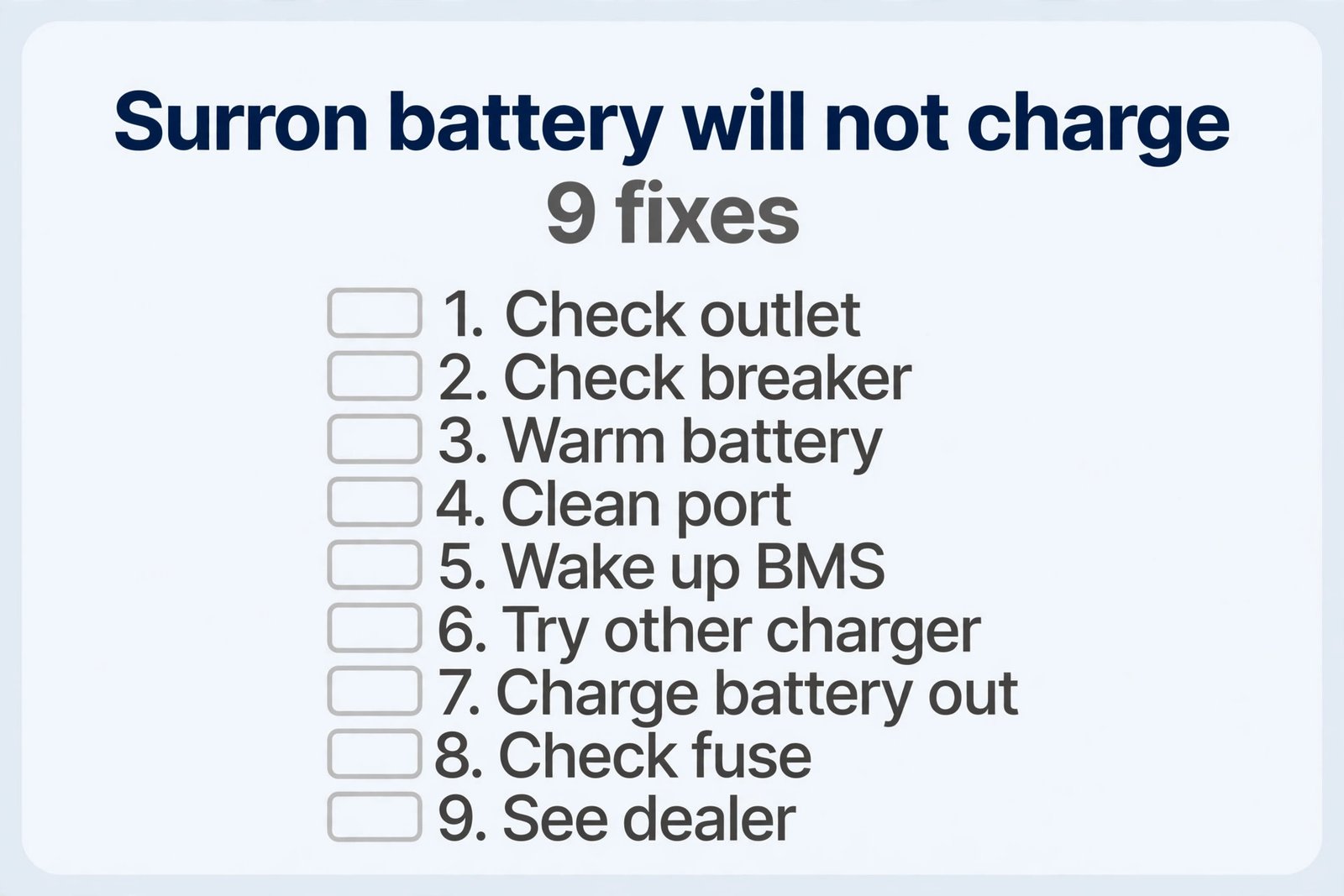
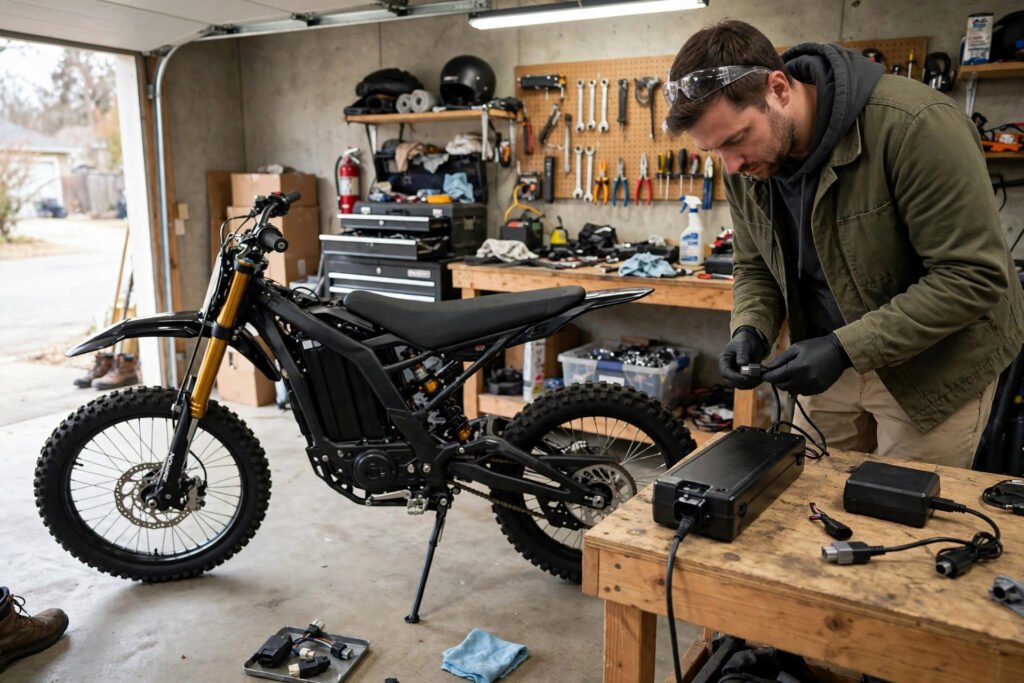
If your Surron battery won’t charge, the fix is usually one of nine things — and in most cases it is not a dead battery. The most common cause is a low-voltage lockout: the pack has gone flat, the BMS has gone to sleep to protect the cells, and the charger is refusing to start until the pack is woken up by its own activation cycle. The second most common cause is simpler: the charger is not getting power, the plug is not seated, or the breaker is off. The third is a dirty or damaged charge connector. All three are fixable without opening anything, and this guide works through all nine fixes in the order you should try them — from the two-minute checks to the dealer visit.
The short answer: check the charger light and the outlet first, check the breaker and the battery seating, warm the pack to room temperature, run the charger’s activation sequence once and give it time, try a known-good charger, and try charging the battery out of the bike. If none of that works, or if you see swelling, heat, or smell, stop and see a dealer. Never open the pack, never bypass the BMS, and never use a bench supply or a car charger to “revive” a pack.
Safety first: Never open a battery pack, never bypass the BMS, and never charge a swollen, hot, or damaged pack. If the pack is swollen, smells, is hot, or has been dropped, crushed, or submerged, do not charge it — move it outdoors away from flammable material if it is safe to do so, and contact a dealer.
First 2 Minutes: Charger Light, Dash, Outlet, Breaker — Isolate the Fault
Before you try any fix, work out which part is at fault. It takes two minutes and it stops you from fixing the wrong thing.
What does the charger light do?
Plug the charger into the battery first, then into the wall, and watch the LED for 30 seconds.
| Charger light | What it usually means |
|---|---|
| No light | Charger is not getting wall power, or the charger has failed |
| Solid red | Charger has power, connected, starting |
| Flashing green | Charging normally |
| Solid green | Fully charged (or charger thinks it is full) |
| Red and green alternating | Low-voltage activation cycle in progress |
| Flashing red | Battery temperature out of range, or voltage too low |
| Red-green-red-off, repeating | Charger is cycling — it starts, detects a fault, and retries |
For the full light guide, see Surron Charger Blinking Red / Green (planned in this build).
Does the bike power on?
Turn the bike on and look at the display. If the display lights up and shows a percentage, the battery has charge and the BMS is awake — the problem is more likely the charger, the charge port, or the outlet. If nothing happens, the pack may be in deep sleep, the breaker may be off, or the battery may not be seated. If the display shows an error code, note it — a dealer can read it properly.
The 9 fixes, in order
Fix 1 — Check the Outlet and the Breaker Panel
The simplest fix, and the one most often missed. Plug something else (a phone charger, a lamp) into the same outlet. If it does not work, the outlet or the circuit is the problem. Try a different outlet on a different circuit, plug the charger directly into the wall (not via a long, thin extension lead), and check the household breaker panel and any GFCI / RCD — garage and outdoor sockets trip more often than indoor ones.
Also check the bike’s main breaker. It is usually under the seat or near the battery. Make sure it is switched on. If it trips again immediately when you switch it on, stop — that is a short or a fault, and it needs a dealer.
When this fixes it: the charger shows no light at all, or the bike shows no sign of life, and the outlet or the breaker was the problem.
Fix 2 — Check the Battery Seating and the Charge Plug
Remove the battery (key off, breaker off), inspect the contacts, then refit it firmly until it locks. A pack that looks seated but is a millimetre out will not charge and may not power the bike either. Push the charge plug in firmly until it is fully seated — do not force it, but do not leave it half-in either. A loose plug is a common cause of a charger that shows a light but never starts charging.
When this fixes it: the bike sometimes powers on and sometimes does not, or the charger light changes when you wiggle the plug (which also tells you the plug or the port is worn and needs replacing).
Fix 3 — Warm the Battery to Room Temperature (or Let It Cool)
Temperature is a common cause of a Surron battery that will not charge, and it is easy to fix. A pack that is too cold (below about −5°C / 23°F, and in practice below about 10°C / 50°F) will be refused by the charger, because charging a cold lithium pack can damage the cells. A pack that is hot from riding (above about 50°C / 122°F) will also be refused.
Bring the pack (or the whole bike) indoors to room temperature, around 18–20°C (65–68°F), for at least an hour. Do not use a heater, a hair dryer, or direct heat on the pack. If the pack is hot from riding, let it cool for 20–30 minutes before charging. Then try again.
When this fixes it: the charger shows flashing red, or alternating red/green, on a cold morning or straight after a hard ride, and the pack charges normally once it reaches room temperature.
Fix 4 — Clean the Charge Port and Inspect the Charger Cable
Trail riding throws mud everywhere, and the charge port is a magnet for it. With the charger unplugged from the wall, look at the charge port on the battery (and on the bike, if you charge on-bike). Look for dirt, mud, or debris in the port, bent or pushed-in pins, corrosion (green or white deposits), or a loose port that wobbles when you plug in. Clean the port gently with a dry cloth or compressed air. Do not poke metal tools into the port, and do not plug a charger into a wet port — dry it thoroughly first.
Run your fingers along the charger cable. Look for cuts, kinks, crushed sections, or melted spots, especially near the plug and where the cable enters the charger body. Check the plug pins for bending or burning. A charger that has been run over, pinched under a wheel, or left in the rain may look fine and still be faulty inside. If you suspect cable damage, do not use it — borrow a known-good charger to test, or have the charger tested by a dealer.
When this fixes it: the charger light is erratic, or the charger works when you hold the plug at an angle, or the port was visibly dirty or corroded.
Fix 5 — The Low-Voltage Lockout: Understand It Before You Fight It
This is the fix most owners need, and the one most owners get wrong by giving up too early. A lithium-ion pack must never be charged at full current when its voltage is too low. Below a certain voltage per cell, the BMS disconnects the pack and goes to sleep to protect the cells. The charger, for its part, checks the voltage before it starts, and if it is below its start threshold, it will not start normal charging — it starts an activation cycle instead, feeding a small current to bring the voltage back up.
The result: you plug in a flat battery, the charger blinks red and green, and nothing seems to happen. In many cases the battery is recoverable — the activation cycle just needs time. The mistake is unplugging it after two minutes and declaring it dead.
What gets a pack this low? Storage without a top-up (a pack left for weeks or months slowly self-discharges), ridden until cut-out and then left without charging, cold weather (cold temporarily reduces the voltage the BMS sees), or a weak cell group. A pack stored at 10% in a cold garage and found flat months later is the classic case.
When this is the problem: the charger blinks red and green, the bike shows 0% or will not power on, and the pack has been stored, ridden flat, or left for weeks without charging.
Fix 6 — Safe BMS Wake-Up: Button Hold, Re-Plug Sequence, Charger Activation
These are the only reset steps you should do yourself. They are external, they do not involve opening the pack, and they mirror what Surron’s own documentation describes. If any step produces heat, smell, swelling, or smoke, stop immediately.
The charger activation sequence
Surron publishes a charger-activation procedure for a flat pack. Follow it carefully, because the timing matters:
- Warm the battery first to room temperature (see Fix 3). Do not use direct heat.
- Connect the charger to the battery first, then plug the charger into the wall. The red and green indicators should blink alternately.
- Unplug the charger from the wall once, then plug it back in. The red indicator should now blink fast (about every 0.5 seconds). This fast blinking lasts about 20 seconds. Do not unplug it again during those 20 seconds — if you do, start again from step 1.
- After the 20 seconds of fast blinking, the red indicator will stay on solid for about 10 seconds. During those 10 seconds, unplug the charger from the wall once and plug it back in.
- After step 4, the charger’s forced-charging function is on and the charger should work normally — it should switch to charging (flashing green) and proceed to a full charge.
If the sequence does not work the first time, you may try it once more, carefully, following the timing exactly. If it does not work twice, stop. Repeated attempts do not improve the odds.
The BMS button and re-plug reset
Many Surron packs have a small button on the battery itself. With the charger disconnected, press and hold the button for a few seconds, then release, reconnect the charger (battery end first, then wall), and watch the charger light for a change. If nothing changes, try removing the battery, waiting a minute, refitting it firmly, and trying again. One clean reset attempt is enough.
What to expect after a successful wake-up
The charger should switch to flashing green and the battery percentage should start rising, slowly at first. A full charge from a deeply discharged state will take longer than a normal charge — the activation phase runs before normal charging, and the pack may need a long balancing phase afterwards. After the first full charge, ride gently and recharge promptly. Do not store the pack flat again.
Fix 7 — Try a Known-Good Charger (or Your Charger on a Known-Good Battery)
This is the fastest way to separate a charger fault from a battery fault, and it is the test a dealer will do first.
- Borrow a known-good Surron charger of the correct voltage for your model (60V for a pre-2026 Light Bee X, 72V for a 2026 Light Bee X, and the correct charger for an Ultra Bee or Storm Bee). Try it on your battery. If it works, your charger is faulty. If it shows the same fault, your battery (or the bike’s wiring) is the problem.
- Try your charger on a known-good battery of the same voltage. If your charger works on their battery, your battery is the problem. If it fails on their battery too, your charger is the problem.
Do not borrow a charger of a different voltage — that is not a test, it is a way to damage a pack.
When this fixes it: the borrowed charger works and yours does not (your charger is faulty), or your charger works on another battery and not on yours (your battery is the problem).
Fix 8 — Charge the Battery Out of the Bike
Remove the battery from the bike (key off, breaker off, follow the manual), place it on a stable, non-flammable surface indoors, and charge it directly with the charger. If it charges fine out of the bike but not on the bike, the fault is in the bike’s wiring, breaker, or charge-port loom — not the battery or the charger. If it will not charge out of the bike either, the fault is the battery or the charger, and Fix 7 separates those two.
When this fixes it: the pack charges out of the bike but not on it (bike wiring fault), or the pack charges out of the bike after a reset that did not work on the bike (seating or breaker fault).
Fix 9 — Check the Fuse (Where Fitted) and the Controller Communication Errors
Some Surron setups have a fuse in the charging circuit or on the bike. Your owner’s manual shows its location and rating for your model. If the fuse is blown, replace it only with the exact same rating — never a higher rating, never a piece of wire. If the new fuse blows immediately, stop: there is a short somewhere, and it needs a dealer. If you cannot find the fuse location in the manual, do not guess — ask a dealer.
Controller communication errors (codes 31/41)
If the display shows a fault code, note the exact code. Owner documentation cites codes 31 and 41 as controller communication errors — the controller and the BMS are not talking to each other properly, which can prevent charging. These codes are not something you can fix by resetting the battery; they point to a wiring, connector, or controller fault that needs a dealer with diagnostic equipment. Note the code, note when it appears (on power-on, on plugging in the charger, under load), and take that information to the dealer. Do not keep resetting the bike and hoping the code goes away — it is telling you something.
When to Stop: Swelling, Heat, Smell, Smoke — Dealer + Outdoor Isolation
Some symptoms are not troubleshooting exercises — they are stop signals. Stop charging and contact a dealer if you see any of these:
- Swelling of the battery pack, or the case not sitting flat.
- Heat — the pack is hot to the touch after a normal ride or charge, or one side is much warmer than the other.
- Smell or smoke — any chemical, sweet, or burning smell from the pack or the charger.
- A damaged pack — dropped, crushed, punctured, or submerged.
- The breaker trips repeatedly when you switch it on or plug in the charger.
- The charger cycles on and off repeatedly (red-green-red-off) and will not settle into charging, after two clean activation attempts.
- A fault code that returns after every reset.
If the pack is swollen, hot, or smelling, move it outdoors away from flammable material if it is safe to do so, do not charge it, and contact a dealer about safe handling and disposal. Do not leave a charger cycling unattended overnight on a pack that will not charge.
Prevention: Keep Your Surron Charging Reliably
Most “battery won’t charge” cases are preventable:
- Store at 40–60%. If you are not riding for more than a couple of weeks, charge or discharge the pack to roughly half, switch the breaker off, and store the bike or the pack indoors at room temperature, dry, and out of direct sun.
- Top up monthly. Check the pack every month and top it back to 40–60% if it has dropped.
- Charge after every ride. Do not leave a pack at 5% overnight, let alone for a week.
- Charge at room temperature. Avoid charging a freezing-cold pack or a pack hot from riding.
- Use the correct charger. Only the charger specified for your model and voltage. Label it if you own more than one bike.
- Keep the charge port clean and dry. Wipe it after wet or muddy rides; do not pressure-wash into the port.
- Do a full charge with a balancing phase regularly. Leave the bike on the charger for 30–60 minutes after the first green light, at least once a month.
For the full storage and care routine, see our Battery Guide and Charging Guide. For how to assess whether the pack is healthy, see How to Check Surron Battery Health (planned in this build).
When a New Battery Is Actually Needed — and What It Costs
A new battery is needed when the pack has a dead cell group, a failed BMS that cannot be repaired, or capacity so low that the range is no longer usable — and a dealer has diagnosed it as such. A new battery is not needed just because the charger blinks red and green, or because the pack went flat in storage — those are often recoverable.
A replacement Surron battery is a four-figure purchase, and the price depends on the model, the dealer, and stock. Because prices vary, this guide does not state a single price as fact. Before you authorise a replacement, get a written quote from at least two sources, confirm it includes the pack and any fitting, ask whether a BMS repair is possible (often far cheaper than a new pack), and check whether the failure is covered by warranty. A dealer diagnosis is worth paying for: it is the difference between a repair bill and a replacement bill.
Common Mistakes
- Unplugging during activation after two minutes and declaring the charger broken.
- Repeating the activation sequence ten times. Two clean attempts are enough.
- Using the wrong-voltage charger from another bike. 60V and 72V are not interchangeable.
- Using a car charger, a bench supply, or a “universal” charger to “revive” a flat pack. This is dangerous and can cause a battery fire.
- Opening the pack to “check the cells”. No user-serviceable parts inside, warranty voided, high-voltage risk.
- Charging a swollen or hot pack because you need the bike tomorrow.
- Ignoring a tripping breaker. A breaker that trips repeatedly is telling you something.
- Storing the bike flat for months, then being surprised it will not wake.
Step-by-Step Summary: The 9 Fixes in Order
- Check the outlet and the breaker panel.
- Check the battery seating and the charge plug.
- Warm the pack to room temperature (or let it cool).
- Clean the charge port and inspect the charger cable.
- Understand the low-voltage lockout — the charger may be in activation, not broken.
- Run the safe BMS wake-up / charger activation sequence once, carefully, and give it time.
- Try a known-good charger of the correct voltage.
- Try charging the battery out of the bike.
- Check the fuse and note any controller fault codes — then see a dealer if they persist.
FAQ: Surron Battery Won’t Charge
Why won’t my Surron battery charge?
The most common reasons are a low-voltage BMS lockout after storage or a deep discharge, a charger that is not getting wall power, a loose or dirty charge connector, a tripped breaker, or a faulty charger. Work through the nine fixes in this guide in order — in most cases the pack is recoverable by the charger’s activation cycle.
What does it mean when my Surron charger blinks red and green?
Alternating red and green usually means the charger is running an extended activation cycle to wake a low-voltage pack. Let it run for 20–60 minutes. If it alternates for over an hour with no progress, the pack may be too low to wake and needs a dealer diagnosis.
How do I reset the BMS on my Surron battery?
Use only the external steps: warm the pack to room temperature, press the BMS button on the battery if fitted, reconnect the charger (battery end first, then wall), and follow the charger activation timing in this guide. Do not open the pack and do not bypass the BMS.
Can I use a car charger to revive a dead Surron battery?
No. Never use a car charger, a bench power supply, or a “universal” charger on a Surron pack. The wrong voltage and charge profile can overcharge a cell group and cause a battery fire. Use only the Surron charger specified for your model, and if the activation sequence does not work, see a dealer.
How long does it take to charge a Surron Light Bee X?
About 2.5–3.5 hours from flat to full on the standard 10A charger (60V pack). A pack in low-voltage activation takes longer, because the activation phase runs before normal charging. The Ultra Bee takes longer because its pack is larger.
Why does my Surron charge to 100% and then die quickly?
That usually points to a loss of usable capacity — a weak cell group or severe imbalance — rather than a charger fault. The display percentage is an estimate and can be wrong when the cells are imbalanced. Have a dealer measure the pack; do not keep riding a pack that cuts out under load.
What are Surron fault codes 31 and 41?
Owner documentation cites codes 31 and 41 as controller communication errors — the controller and the BMS are not communicating properly. Note the exact code and when it appears, and take it to a dealer. These are not fixed by resetting the battery.
How much does a replacement Surron battery cost?
A genuine replacement pack is a four-figure purchase, with the price depending on the model, the dealer, and stock. Get a written quote from at least two dealers before authorising a replacement, and ask first whether a BMS repair or a warranty claim is possible — it is often far cheaper.
How do I stop my Surron battery from going flat in storage?
Store at 40–60% charge, breaker off, indoors at room temperature, and top it up monthly. Never store it flat, and never store it at 100% for months. A pack left flat for months is the most common cause of a battery that will not charge.
When should I stop troubleshooting and go to a dealer?
Stop immediately if you see swelling, heat, smell, smoke, or a damaged pack, or if the breaker trips repeatedly. Otherwise, stop after the nine fixes in this guide have all failed — at that point the fault is inside the pack, the charger, or the bike’s wiring, and it needs proper diagnostic equipment.
Conclusion
A Surron battery that won’t charge is usually not a dead battery — it is a flat battery that needs time to wake, a charger that is not getting power, or a dirty connector. Work through the nine fixes in order, give the activation cycle the time it needs, and isolate the fault by swapping one thing at a time. The cases that are not fixable at home are the ones where the pack itself is faulty, and those are exactly the cases where a dealer diagnosis saves you money compared with guessing and buying a new pack you did not need.
Keep the pack at 40–60% in storage, top it up monthly, charge it at room temperature with the correct charger, and you will see the blinking red/green light far less often.
Read next:
- Surron Charger Blinking Red / Green? What Each Light Means — planned in this build
- How to Check Surron Battery Health — planned in this build
- Talaria Battery Not Charging? Causes & Fixes — planned in this build
- Battery Guide — existing PumpFlow guide
- Charging Guide — existing PumpFlow guide
- Maintenance Guide — existing PumpFlow guide
- Surron review — existing PumpFlow review (check live slug before publishing)
Fixes compiled from Surron service-manual and charger-activation documentation, checked Nov 2026. Your charger’s own printed instructions and your owner’s manual take precedence. This article is general information, not a substitute for a dealer diagnosis.